AUTOMATED FOLDER & FILE PROCESSING FLOW IN POWER AUTOMATE DESKTOP
Automated Folder & File Processing Flow in Power Automate Desktop
Pro Tip: Use this flow to automate Excel processing and attendance analysis without manual intervention.
Overview of the Automation Flow
- 1.Dynamic configuration reading from a config file
- 2.Recursive subfolder and file discovery
- 3.Automatic Excel and Python file identification
- 4.Python execution for each Excel file
- 5.Detailed output and processing logs
Core Components Used
- 1.Config file selection
- 2.Recursive folder retrieval
- 3.Excel and Python file discovery
- 5.Run DOS Command for Python execution
- 6.Automated logging
Step-by-Step Workflow
Step 1: Display File Dialog
Display File Dialog is used to select the configuration file dynamically.
.png)
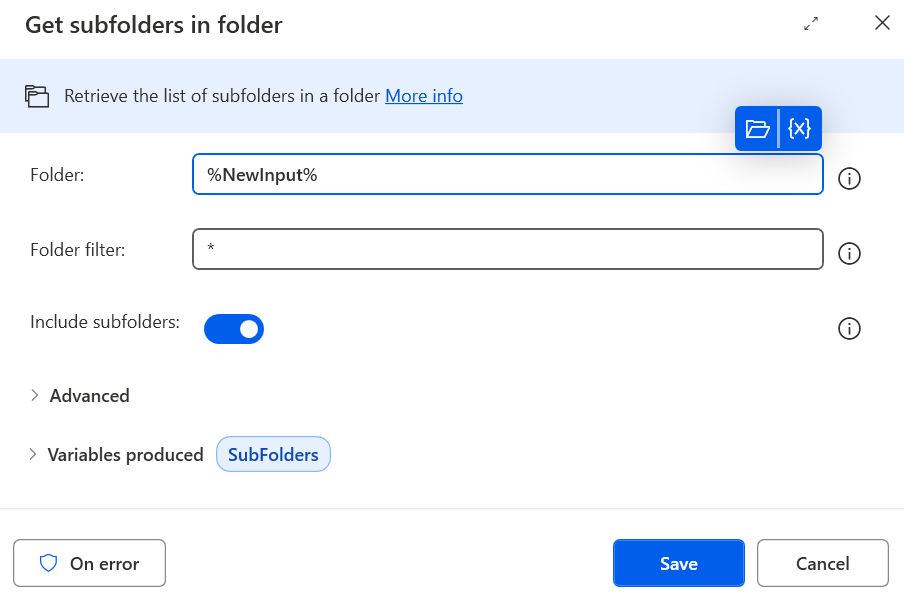
Step 2: Retrieve Subfolders
All subfolders are retrieved recursively and stored for processing.
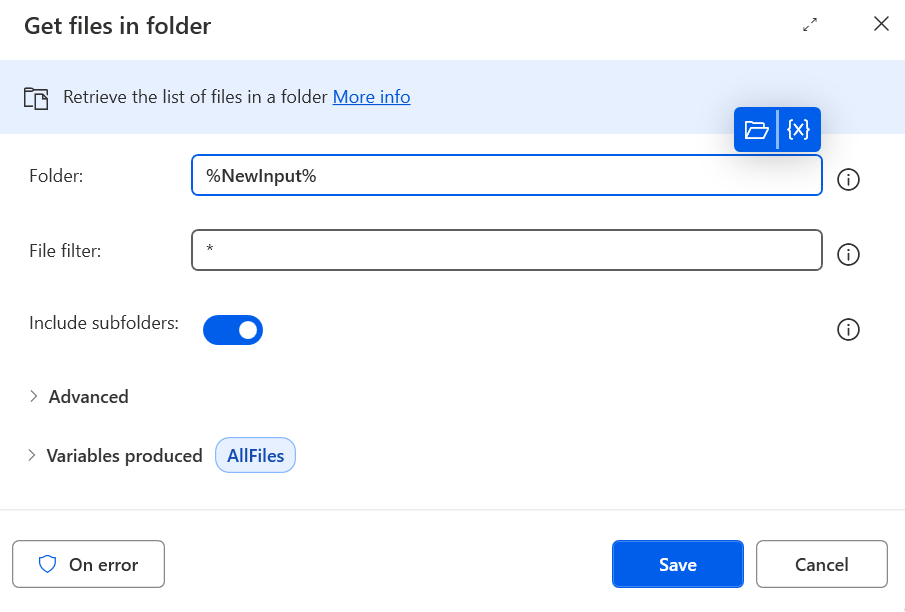
Step 3: Get Files from Subfolders
Files are collected from all subfolders.
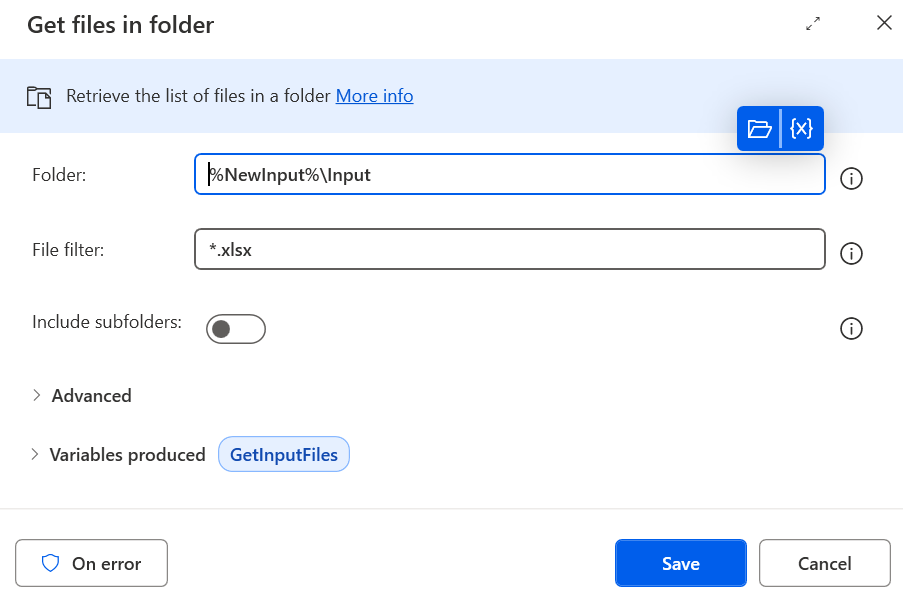
Step 4: Filter Excel Input Files
Excel input files are filtered from the collected file list.
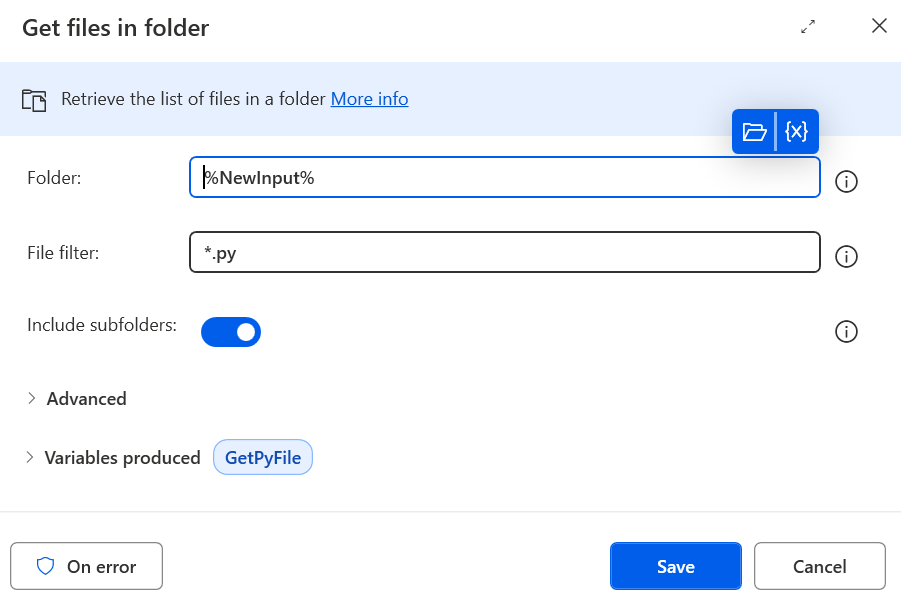
Step 5: Identify Python Script
The Python script to be executed is identified automatically.
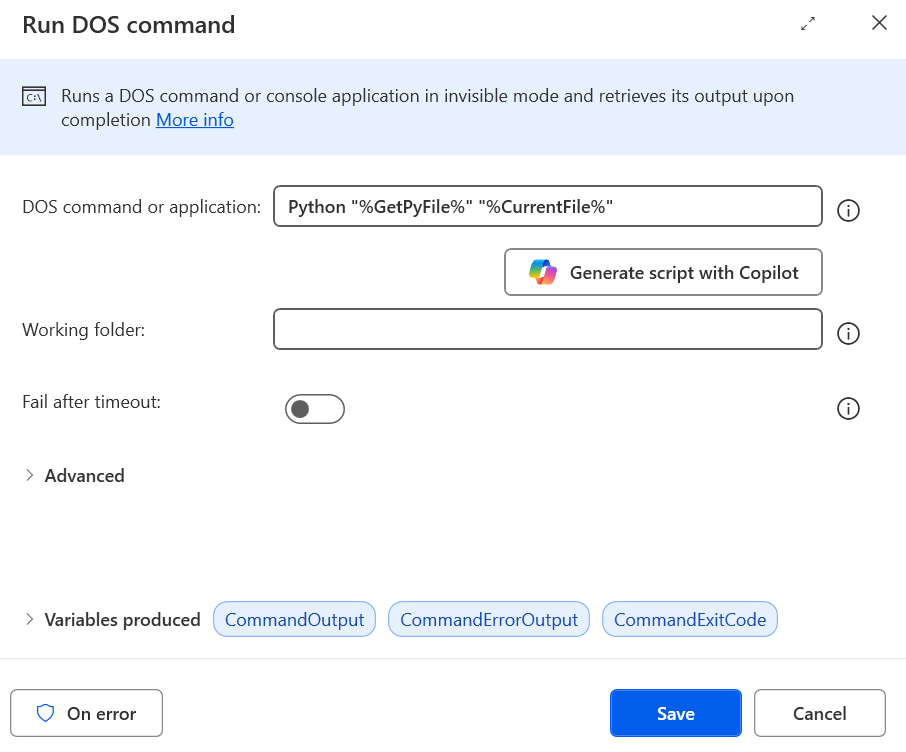
Step 6: Execute via Run DOS Command
The Python script is executed for each Excel file using the command below.
python main.py "%CurrentExcelFile%"
Optimized Python Code
"""
Attendance Streak Analyzer
- Copies all Excel files from Input folder to Output folder
- Detects >=10-day consecutive "present" streaks
- Highlights streak cells in attendance area (from column N)
- Writes Streak Analysis + Run Log
"""

import os
import datetime
import pandas as pd
from openpyxl import load_workbook
from openpyxl.styles import PatternFill
import shutil

# Configuration
EXCEL_ATTENDANCE_START_COL = "N"
HEADER_ROW_INDEX_IN_EXCEL = 2
FIRST_DATA_ROW_IN_EXCEL = 3
STREAK_TARGET = 10
OUTPUT_SUFFIX = "_analyzed"
HIGHLIGHT_HEX = "FFFF6666"

PRESENT_NOMENCLATURES = {
    "P", "WO(P)", "2H-P", "3.0-P", "PO", "OD", "PO(OD-OTH)",
    "PO(OUT ON WORK)", "PO(OD-CV)", "PO(OD-OT)", "OD-OT(P)",
    "OD-OTH(P)", "PO(OD-WFH)", "PO(OD-P)", "P(OD-OT)", "P(OD-OTH)",
    "OD-CV(P)", "P(OD-CV)", "OUT ON WORK(P)", "H(OD)", "WO(OD)",
    "WO(OD)(OUT ON WORK)"
}
PRESENT_NOMENCLATURES = {s.upper().strip() for s in PRESENT_NOMENCLATURES}

def excel_col_to_index(col_letter: str) -> int:
    col = col_letter.upper().strip()
    idx = 0
    for ch in col:
        idx = idx * 26 + (ord(ch) - ord('A') + 1)
    return idx - 1

def is_present_cell(val: object) -> bool:
    if pd.isna(val):
        return False
    s = str(val).strip().upper()
    if s == "":
        return False
    if s in PRESENT_NOMENCLATURES:
        return True
    if "(P)" in s or s.endswith("-P") or s.startswith("PO") or "OUT ON WORK" in s:
        return True
    return False

def process_file(input_file_path, output_folder):
    if not os.path.isfile(input_file_path):
        print(f"File not found: {input_file_path}")
        return

    base, ext = os.path.splitext(os.path.basename(input_file_path))
    if OUTPUT_SUFFIX.lower() in base.lower():
        print(f"Skipping '{base}{ext}' — already analyzed.")
        return

    timestamp = datetime.datetime.now().strftime("%Y%m%d_%H%M%S")
    output_filename = f"{base}{OUTPUT_SUFFIX}_{timestamp}{ext}"
    output_path = os.path.join(output_folder, output_filename)

    shutil.copyfile(input_file_path, output_path)
    print(f"Processing file: {input_file_path}")
    print(f"Copied to output: {output_path}")

    df = pd.read_excel(input_file_path, header=HEADER_ROW_INDEX_IN_EXCEL - 1, dtype=object)
    df.columns = df.columns.astype(str)

    possible_name_cols = [c for c in df.columns if "name" in c.lower() or "employee" in c.lower()]
    name_col = possible_name_cols[0] if possible_name_cols else df.columns[0]

    attendance_start_idx = excel_col_to_index(EXCEL_ATTENDANCE_START_COL)
    attendance_cols = df.columns[attendance_start_idx:]

    results = []
    for idx, row in df.iterrows():
        present_flags = [is_present_cell(row[col]) for col in attendance_cols]
        total_present = sum(present_flags)
        total_absent = len(present_flags) - total_present
        longest = cur = 0
        for present in present_flags:
            if present:
                cur += 1
                longest = max(longest, cur)
            else:
                cur = 0

        results.append({
            "Employee Name": row[name_col],
            "Max Consecutive Present": int(longest),
            "Total Present Count": int(total_present),
            "Total Absent Count": int(total_absent),
            "Has 10-Day Streak?": longest >= STREAK_TARGET
        })

    analysis_df = pd.DataFrame(results)
    with pd.ExcelWriter(output_path, engine="openpyxl", mode="a", if_sheet_exists="replace") as writer:
        analysis_df.to_excel(writer, sheet_name="Streak Analysis", index=False)

if __name__ == "__main__":
    script_dir = os.path.dirname(os.path.abspath(__file__))
    input_folder = os.path.join(script_dir, "Input")
    output_folder = os.path.join(script_dir, "Output")
    os.makedirs(output_folder, exist_ok=True)
    input_files = [os.path.join(input_folder, f) for f in os.listdir(input_folder)
                   if f.lower().endswith((".xlsx", ".xls"))]
    for file_path in input_files:
        process_file(file_path, output_folder)
Expected Outcome
- 1.Fully automated process without manual intervention
- 2.Dynamic folder scanning with recursive file retrieval
- 3.Accurate attendance streak detection and highlighting
- 4.Detailed Excel output with logs
- 5.Reusable, scalable automation for Power Automate Desktop integration
Success Tip: Make sure Python 3.11, Pandas, and OpenPyXL are installed before running this flow.