Create and design pages
Create and design pagesCreate and design pages
A page in Power Pages is a webpage: a container for content identified by a unique URL in a website. A page is one of the core objects of the website. The parent and child relationships between pages build the hierarchy of a website.
Create a page
The Pages workspace enables you to design and build webpages with in-context editing and add content with no-code and low-code widgets such as text, image, video, Power BI reports, lists, forms, and others.
- Open the design studio to edit the content and components of your Power Pages site.
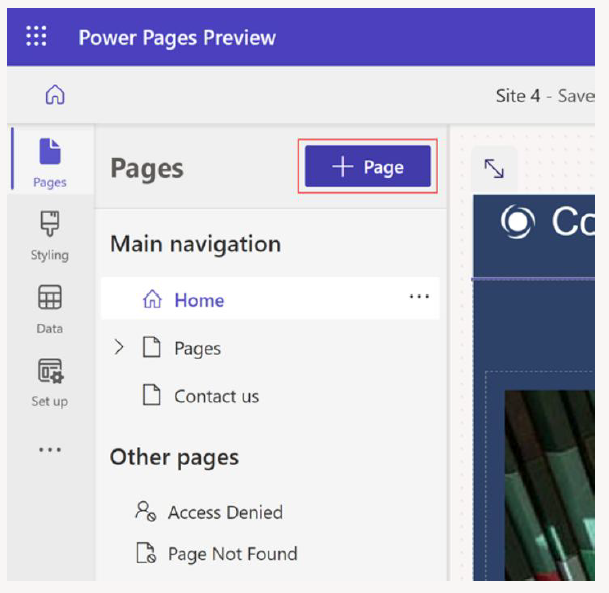
- On the left pane, select Pages, and then select + Page.
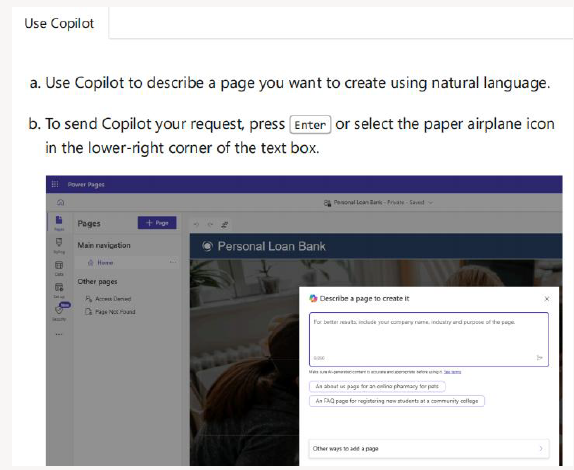
Use Copilot to create the page or choose from various layouts.
Preview a page
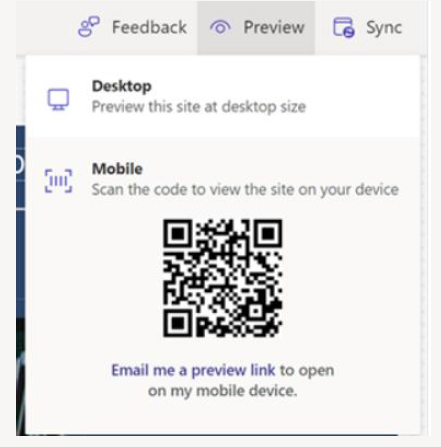
You can preview your site by selecting Preview from the command bar. Select Desktop to preview your page in a browser, or scan the QR code to view the page on a mobile device.