Dataverse and Power Pages
Dataverse and Power PagesDataverse and Power Pages
When building a site, makers commonly rely on a database to store business-related records. Microsoft Dataverse, the cloud-based data service within the Power Platform, serves this purpose like a traditional database — but with additional advantages.
It offers built-in security, analytics, automation, and other enhanced capabilities that support robust and scalable site development.
Data Workspace
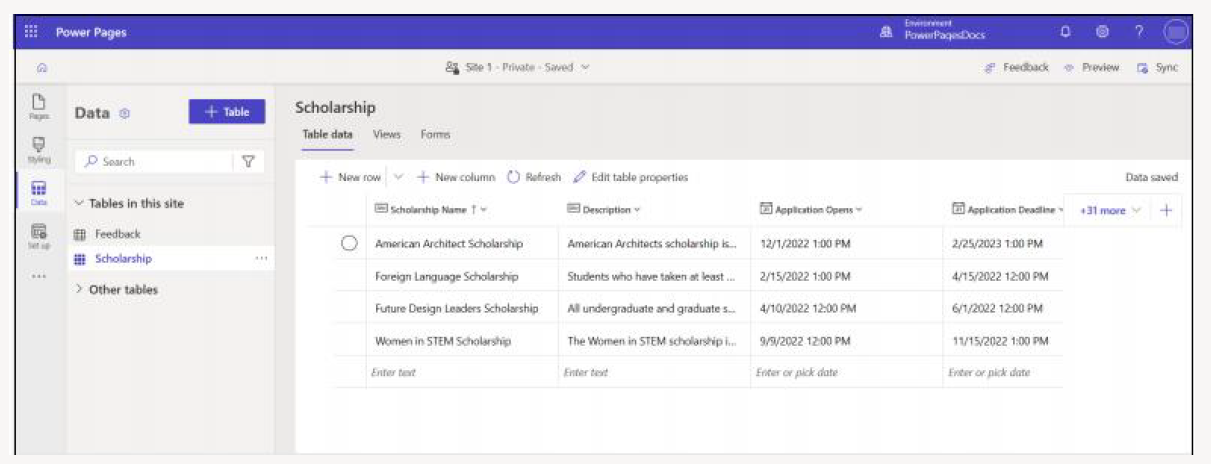
Makers can create and edit Dataverse tables directly within the design studio using the Data workspace.
- Create and edit Dataverse tables
- Build model-driven apps in Power Apps
- Work with data through grid and list views
- Manage records using Dataverse forms
Forms can be used to add, update, or view individual records.
Using Dataverse Views and Forms in Power Pages
Power Pages sites rely on model-driven views and forms as the foundation for building interactive, data-driven web pages.
Component Mapping
-
Dataverse views are used for:
- Building list components
- Displaying records in grid or list format
-
Dataverse forms are used for:
- Basic form components
- Multistep form components
- Guided data entry experiences
- Existing or newly created views and forms can be reused
In the Data workspace, makers can select existing or new Dataverse views and forms to power their Power Pages lists and form components.