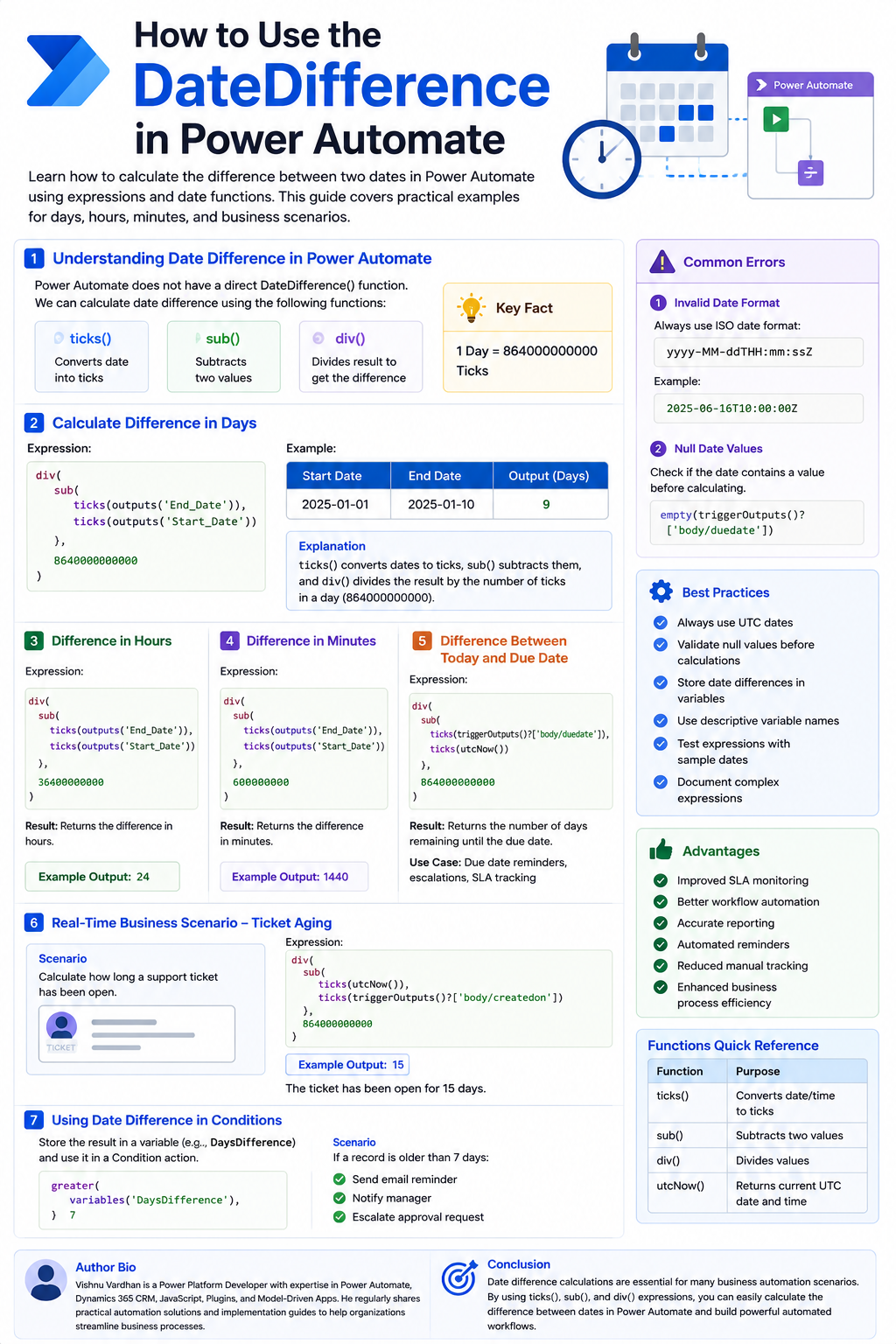
Master Date Difference Calculations in Power Automate
Introduction to Date Difference Calculations in Power Automate
Date calculations are a frequent requirement when building automated workflows in Power Automate. Whether you need to determine how long a support ticket has been open, send timely reminders based on due dates, or calculate Service Level Agreement (SLA) durations, Power Automate offers robust date and time functions to handle these scenarios effectively.
This article will guide you through calculating date differences using Power Automate expressions, providing practical examples and best practices.
Why Use Date Difference Calculations?
Implementing date difference calculations can significantly benefit organizations by enabling them to:
- Track record aging and identify stale data.
- Calculate and monitor SLA durations accurately.
- Track task completion times and identify bottlenecks.
- Automate reminder notifications for approaching deadlines.
- Measure response times for employees or customers.
- Generate reports based on elapsed time intervals.
Prerequisites
Before you begin, ensure you have the following:
- Access to Microsoft Power Automate.
- An existing cloud flow or the ability to create one.
- Two date fields that you intend to compare.
- A basic understanding of Power Automate expressions.
Understanding Date Difference Calculation in Power Automate
Unlike some programming languages, Power Automate does not have a direct DateDifference() function. Instead, date differences are calculated using a combination of built-in expressions:
ticks(): Converts a date and time value into the number of 100-nanosecond intervals since January 1, 0001.sub(): Subtracts one numeric value from another.div(): Divides one numeric value by another.
These functions work together to convert dates into a comparable numeric format (ticks), calculate the difference, and then convert that difference back into a desired unit (days, hours, etc.).
Calculate Difference in Days
To calculate the difference in days between two dates, you can use the following expression. Assume you have a StartDate and an EndDate:
div(
  sub(
    ticks(outputs('End_Date')),
    ticks(outputs('Start_Date'))
  ),
  864000000000
)
Explanation:
ticks(outputs('End_Date'))andticks(outputs('Start_Date'))convert your start and end dates into ticks.sub(...)subtracts the start date ticks from the end date ticks.div(..., 864000000000)divides the resulting tick difference by the number of ticks in one day (86,400,000,000,000 ticks) to get the difference in days.
Example:
- StartDate:
2025-01-01 - EndDate:
2025-01-10 - Output:
9(This represents 9 full days between the two dates).
Calculate Difference in Hours
To find the difference in hours, adjust the divisor in the div() function:
div(
  sub(
    ticks(outputs('End_Date')),
    ticks(outputs('Start_Date'))
  ),
  36000000000
)
The divisor 36000000000 represents the number of ticks in one hour (3,600,000,000,000 ticks).
Example Output: 24 (If the dates were exactly 24 hours apart).
Calculate Difference in Minutes
For the difference in minutes, use this expression:
div(
  sub(
    ticks(outputs('End_Date')),
    ticks(outputs('Start_Date'))
  ),
  600000000
)
The divisor 600000000 represents the number of ticks in one minute (60,000,000,000 ticks).
Calculate Difference Between Today and a Due Date
A common scenario is to calculate the remaining time until a due date. You can use utcNow() for the current date:
div(
  sub(
    ticks(triggerOutputs()?['body/duedate']),
    ticks(utcNow())
  ),
  864000000000
)
This expression calculates the number of days remaining until the date specified in triggerOutputs()?['body/duedate'].
Use Cases for Date Difference Calculations
These calculations are invaluable for various business processes:
- Due Date Reminders: Automatically send reminders as a due date approaches.
- Escalation Notifications: Trigger notifications if a task or ticket remains unresolved past a certain threshold.
- SLA Tracking: Monitor whether service level agreements are being met.
Real-Time Business Scenario: Support Ticket Aging
Imagine a support ticket system. You want to calculate how long a ticket has been open to prioritize or escalate it.
- CreatedOn:
triggerOutputs()?['body/createdon'] - CurrentDate:
utcNow()
Expression to calculate days open:
div(
  sub(
    ticks(utcNow()),
    ticks(triggerOutputs()?['body/createdon'])
  ),
  864000000000
)
If the output is 15, it means the ticket has been open for 15 days.
Using Date Difference in Conditions
The result of a date difference calculation can be directly used within a Condition action to control your flow's logic. For example, you can check if a record is older than a specific number of days:
greater(variables('DaysDifference'), 7)Scenario: If a record is older than 7 days:
- Send an email reminder to the owner.
- Notify a manager.
- Escalate an approval request.
Common Errors and How to Avoid Them
Be mindful of these common pitfalls:
-
Invalid Date Format:
Ensure all dates used in expressions are in the ISO 8601 format, typically
yyyy-MM-ddTHH:mm:ssZ. Example:2025-06-16T10:00:00Z. -
Null Date Values:
Before performing calculations, always check if your date fields contain a value. Use functions like
empty()orcoalesce().Example check:
empty(triggerOutputs()?['body/duedate'])
Best Practices
To ensure robust and maintainable Power Automate flows:
- Always use UTC dates for calculations whenever possible to avoid timezone discrepancies.
- Validate that date fields are not null before attempting calculations.
- Store calculated date differences in variables for easier reuse and readability within your flow.
- Use descriptive variable names (e.g.,
varDaysSinceCreationinstead ofvarDiff1). - Thoroughly test your expressions with various sample dates, including edge cases.
- Document complex expressions within your flow for future reference.
Advantages of Date Difference Calculations
Leveraging these calculations in Power Automate leads to significant improvements:
- Improved SLA Monitoring: Proactively manage and meet service level agreements.
- Better Workflow Automation: Automate time-sensitive tasks and processes.
- Accurate Reporting: Generate precise reports based on time metrics.
- Automated Reminders: Reduce missed deadlines and improve follow-up.
- Reduced Manual Tracking: Free up resources from manual data analysis.
- Enhanced Business Process Efficiency: Streamline operations through intelligent automation.
Conclusion
Date difference calculations are fundamental for building sophisticated business automations in Power Automate. While there isn't a single DateDifference() function, the combination of ticks(), sub(), and div() expressions provides a powerful and flexible method to calculate differences in days, hours, minutes, and more. By implementing these techniques and following best practices, organizations can significantly enhance their operational efficiency, improve customer service, and automate critical time-based business processes.