Manage forum access permissions
Manage Forum Access Permissions in Power PagesManage Forum Access Permissions
Forum Access Permissions are security rules that control who can view a forum and who can moderate it. These permissions link a forum to a Web Role, allowing administrators to restrict access or grant moderation rights to specific users within Power Pages.
Create or Modify Forum Access Permissions
- Sign in to Power Pages.
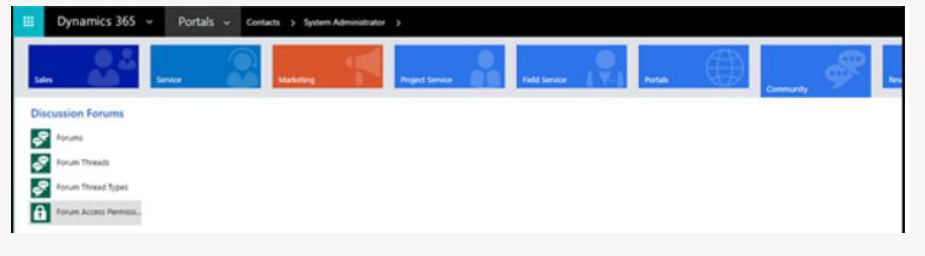
- Navigate to Community → Forum Access Permissions.
- Select New to create a new permission.
- Select an existing permission name to edit it.
- Enter appropriate values in the required fields.
- Select Save & Close.
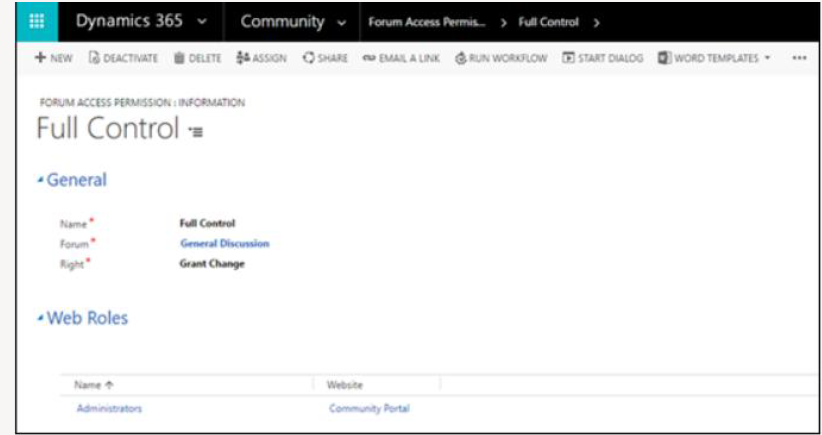
Forum Access Permission Attributes
| Field | Description |
|---|---|
| Name | The internal reference name stored in Microsoft Dataverse. |
| Forum | The forum that this permission applies to. |
| Right |
Determines the level of access:
|