Manage Sites
Manage Sites - Power PagesManage Sites
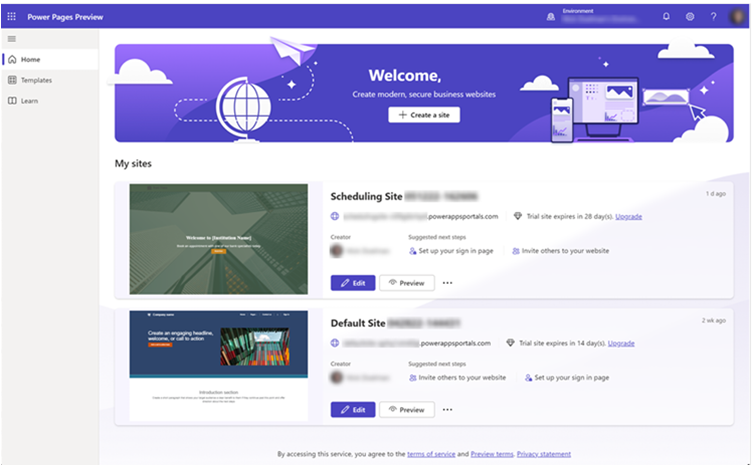
The Power Pages home page acts as a centralized location for managing all websites within a selected environment. It displays a list of available sites and allows you to perform actions on each one.
Information Displayed on Site Cards
- Site name and web address
- Name of the site creator
- Recommended next steps to continue building or customizing the site
- A thumbnail preview of the site
- For authenticated sites, the thumbnail displays the user sign-in page
Actions Available on Each Site Card
- Edit – Opens the site in the Power Pages design studio.
- Preview – Shows how the site appears to end users.
- Share – Generates a preview link to share with others.
- Details – Navigates to the Set-up workspace.
- Portal Management – Opens the Portal Management app.
- Admin Center – Redirects to the Power Platform admin center.
- Delete – Permanently removes the site from the environment.