Sections
Sections OverviewSections
Use sections to structure your page and organize portal components. By placing components inside these sections, you can build layouts that meet your design and functional needs.
Adding a Section
- Open the design studio to begin editing your page’s content and components.
- Select the page where you want to add a new section.
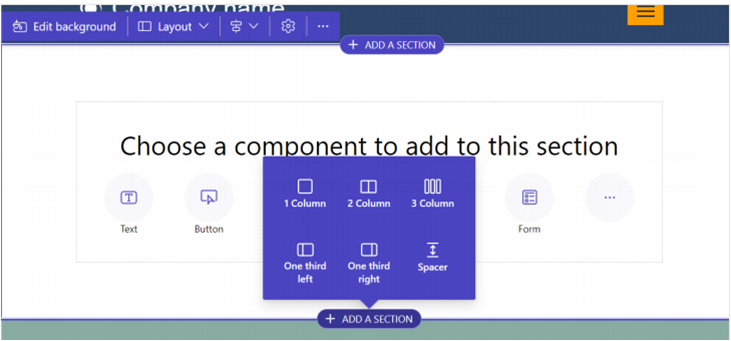
- Hover over any editable area on the canvas and select the plus (+) icon.
You’ll then be able to choose from six available section layout options.
Editing a Section
After adding a section, selecting it opens the properties panel, where you can configure various settings for that section.
Section Properties
Background
Set a background color using the theme palette or add a background image with customizable size and position.
Layout
Choose a different section layout from predefined column and width options.
Alignment
Adjust how the content is aligned within the section.
Others
Duplicate, reorder, or delete the section as needed.