Smart PDF Automation: Detect, Extract, and Translate PDF Data into English
Power Automate Desktop: Detect, Extract, and Translate PDF Data into English
Pro Tip: Use this flow to automate PDF data extraction, language detection, translation, and structured output without manual intervention.
Flow Overview
- 1. Run external Python script via Run DOS Command
- 2. Capture structured JSON output
- 3. Convert JSON to Custom Object in PAD
- 4. Extract individual fields (Name, Address, DOB, Document Number)
- 5. Display extracted data for validation
Step-by-Step Workflow
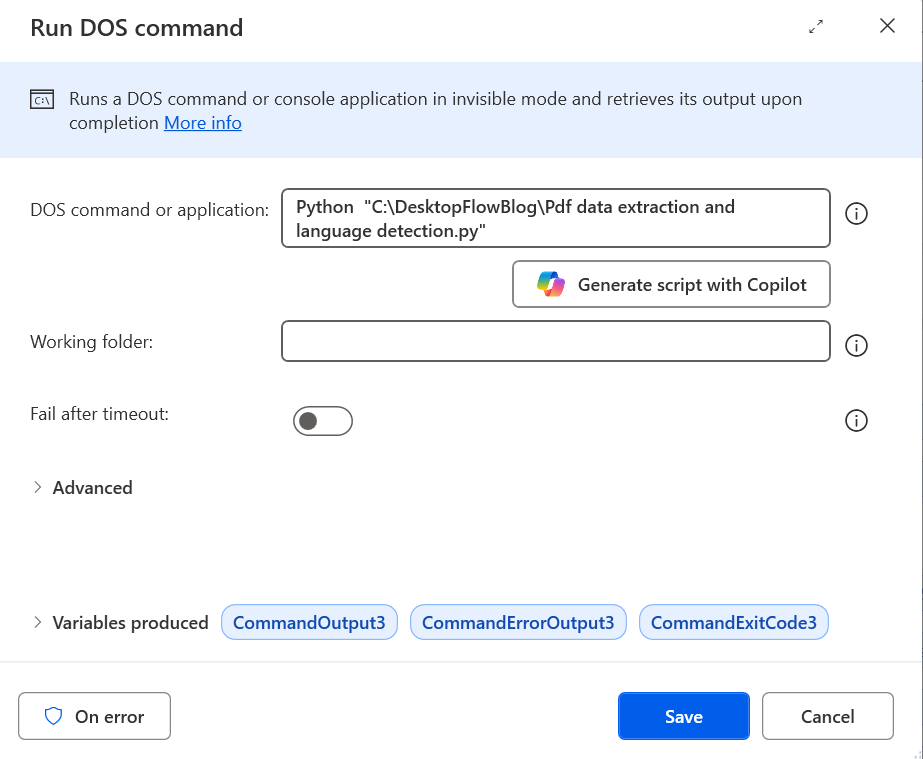
Step 1Run DOS Command
Executes a Python script to extract PDF data and return JSON output.
CommandOutput3– JSON responseCommandErrorOutput3– Error outputCommandExitCode3– Exit code (0 = success)
 Step 2
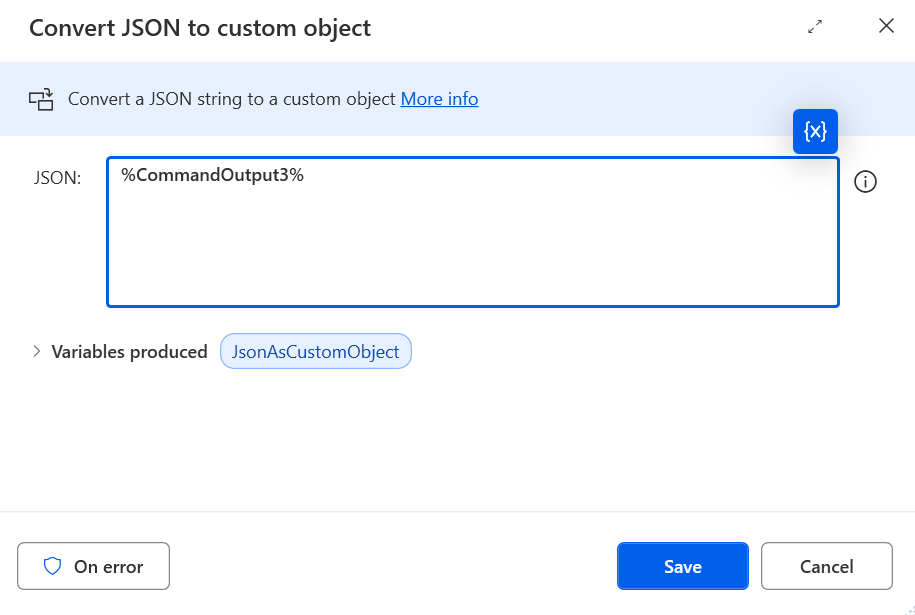
Convert JSON to Custom Object
Converts CommandOutput3 into JsonAsCustomObject for easy access to individual properties.
 Step 3
Set Variable – Name
Name = JsonAsCustomObject['Name']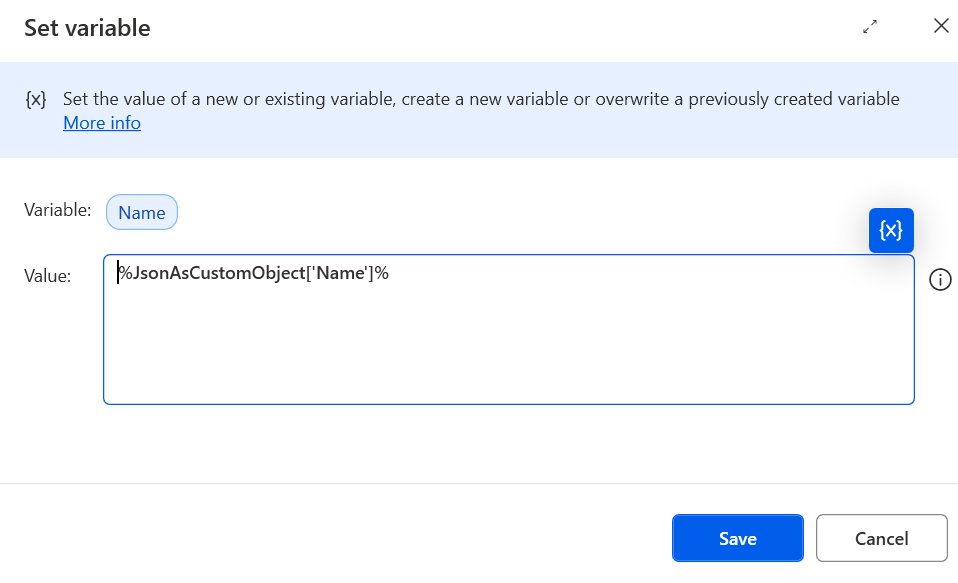 Step 4
Set Variable – Address
Address = JsonAsCustomObject['Address']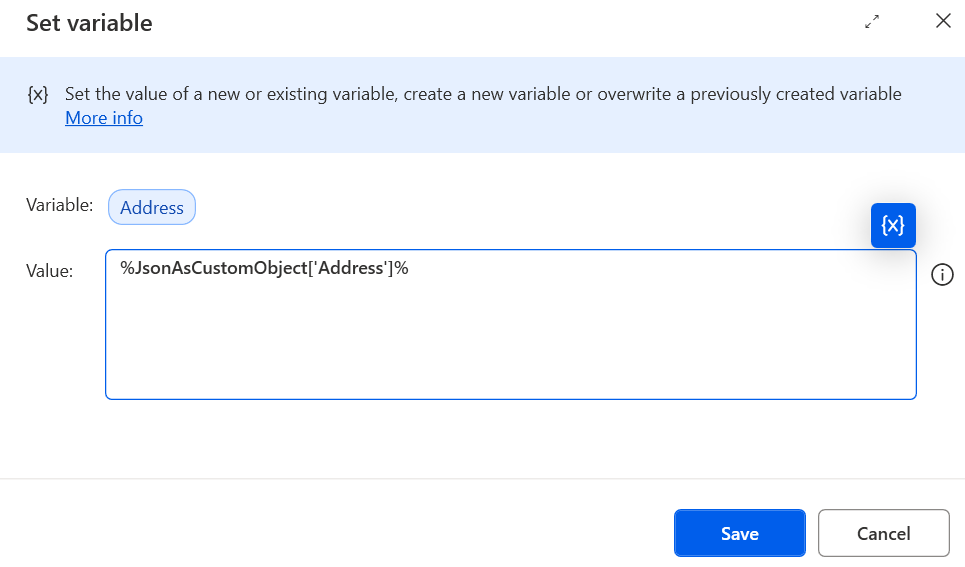 Step 5
Set Variable – Date of Birth
Dob = JsonAsCustomObject['Date of Birth']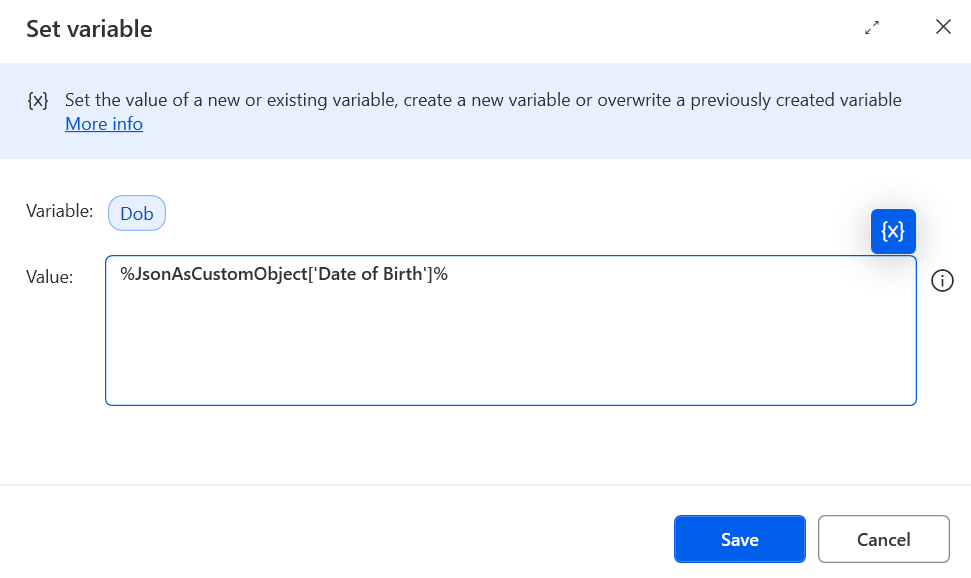 Step 6
Set Variable – Date of Issue
Doi = JsonAsCustomObject['Date of Issue']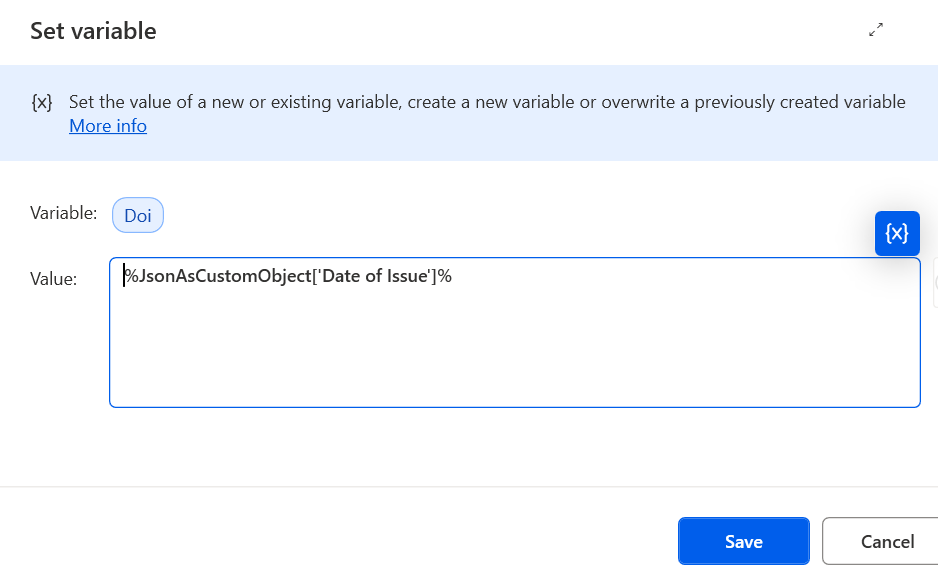 Step 7
Set Variable – Document Number
Dn = JsonAsCustomObject['Document Number']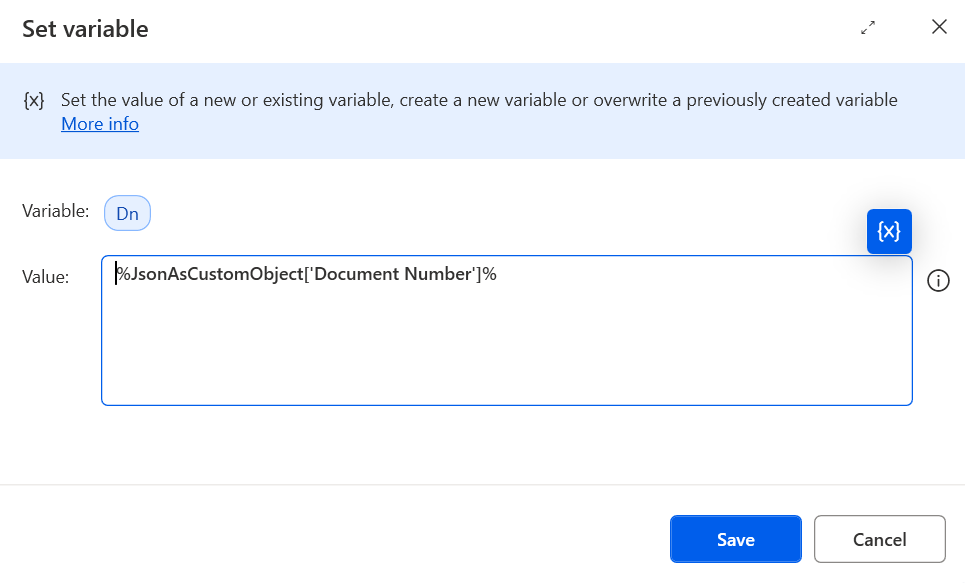 Step 8
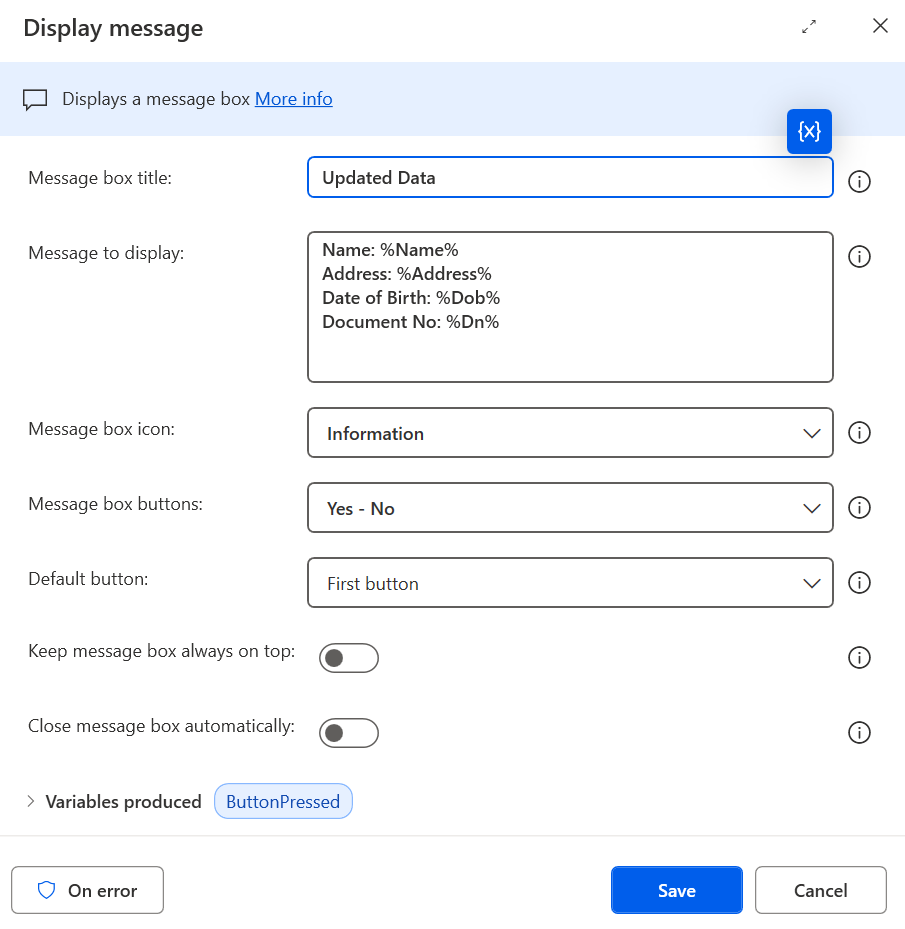
Display Message
Name: %Name%
Address: %Address%
Date of Birth: %Dob%
Date of Issue: %Doi%
Document Number: %Dn%
Required Python Libraries
- 1. PyMuPDF (fitz) – Extracts text from digital PDFs
- 2. pytesseract – OCR for scanned PDFs
- 3. pdf2image – Converts PDF pages to images
- 4. langdetect – Detects text language
- 5. deep-translator – Translates text to English
- 6. Pillow – Image handling for OCR
Install All Libraries
pip install pymupdf pytesseract pdf2image langdetect deep-translator pillowSystem Dependencies:
- Tesseract OCR must be installed separately
- Poppler is required for pdf2image
Full Python Script
import fitz  # PyMuPDF
from langdetect import detect
import pytesseract
import pdf2image
from deep_translator import GoogleTranslator
import re
import json

def detect_language(text):
    try:
        return detect(text)
    except Exception as e:
        return f"Error detecting language: {str(e)}"

def translate_to_english(text):
    try:
        return GoogleTranslator(source='auto', target='en').translate(text)
    except Exception as e:
        return f"Error during translation: {str(e)}"

def extract_text_from_pdf(pdf_path):
    try:
        doc = fitz.open(pdf_path)
        text = ""
        for page_num in range(doc.page_count):
            page = doc.load_page(page_num)
            text += page.get_text("text")
        if text.strip():
            return text
    except:
        pass
    try:
        images = pdf2image.convert_from_path(pdf_path)
        text = ""
        for img in images:
            text += pytesseract.image_to_string(img)
        if text.strip():
            return text
    except:
        pass
    return None

def extract_information(text):
    name_pattern = r"(?:Name[:\-]?\s?)([A-Z][a-z]+(?:\s[A-Z][a-z]+)?)"
    address_pattern = r"(\d+\s[A-Za-z0-9\s,.-]+(?:\s[A-Za-z]+(?:\s[A-Za-z]+)?)?\s*(\d{6}|\d{5}-\d{4}|\d{5}))"
    dob_pattern = r"(?:Date of Birth[:\-]?\s?|\bDOB\b[\s:]*)(\d{2}[\-\/\.]?\d{2}[\-\/\.]?\d{4})"
    date_of_issue_pattern = r"(?:Date of Issue\s*[:\-]?\s*|Issued on\s*[:\-]?\s*|Issue Date\s*[:\-]?\s*)(\d{2}[\-\/\.]?\d{2}[\-\/\.]?\d{4})"
    document_number_pattern = r"\b[A-Za-z]{3}-\d{3}\b"

    name = re.search(name_pattern, text)
    name = name.group(1) if name else "Name not found"
    address = re.search(address_pattern, text)
    address = address.group(1) if address else "Address not found"
    dob_matches = re.findall(dob_pattern, text)
    dob = ", ".join(dob_matches) if dob_matches else "Date of Birth not found"
    doc_number_matches = re.findall(document_number_pattern, text)
    doc_number = ", ".join(doc_number_matches) if doc_number_matches else "Document Number not found"
    issue_matches = re.findall(date_of_issue_pattern, text)
    issue_dates = ", ".join(issue_matches) if issue_matches else "Date of Issue not found"

    return {
        "Name": name,
        "Address": address,
        "Date of Birth": dob,
        "Date of Issue": issue_dates,
        "Document Number": doc_number,
    }

def main(pdf_path):
    extracted_text = extract_text_from_pdf(pdf_path)
    if extracted_text:
        language = detect_language(extracted_text)
        if language != 'en':
            extracted_text = translate_to_english(extracted_text)
        extracted_info = extract_information(extracted_text)
        return json.dumps(extracted_info, indent=4)
    else:
        return json.dumps({"error": "No text could be extracted from the PDF."}, indent=4)

pdf_path = r"Your input file path here"
json_result = main(pdf_path)
print(json_result)