Turning Copilot into a system of action with Dynamics 365 Sales and Service plug-ins in Copilot Cowork
Today marks the general availability of Dynamics 365 Sales and Service plugins for Copilot Cowork.
Over the last few releases, my teams have built a rich family of agentic capabilities across Dynamics 365, with Copilot woven through Sales and Customer Service so sellers and agents get real value inside the apps they use every day.
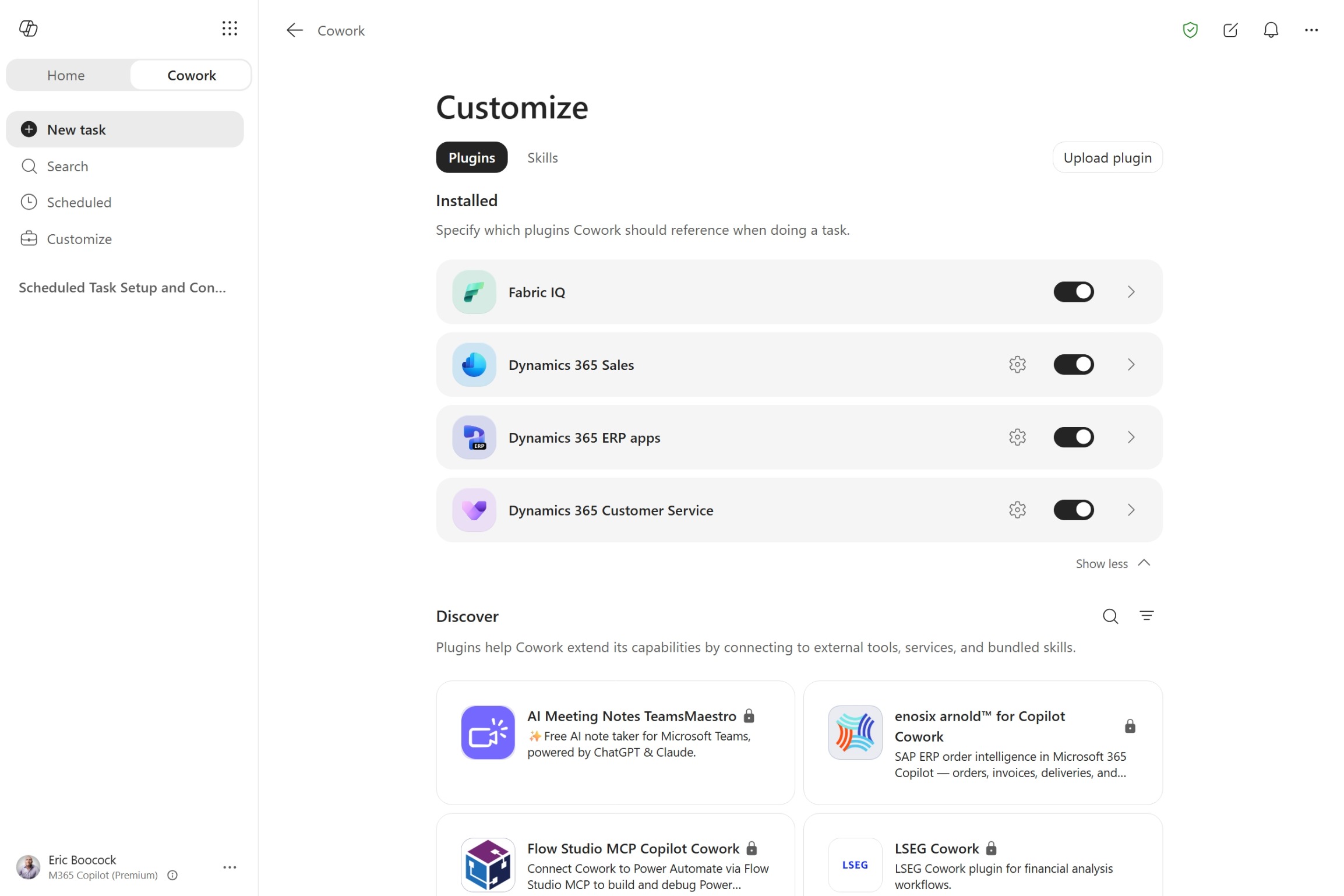
Today, we’re extending that same intelligence into a new surface. With the general availability of Copilot Cowork, our Sales and Customer Service capabilities are now also generally available as the Dynamics 365 Sales and Dynamics 365 Customer Service plugins.
Cowork is where people delegate multi-step, multi-source work and review it, drawing across records, knowledge, email, and meetings, and increasingly across Sales and Customer Service together. It meets users where they already work in Microsoft 365, and it keeps a person in the loop the whole way: grounded in your records, governed by your permissions, and gated by human approval before anything is written back.
What we are shipping
When building this functionality, we did not start from a feature list. We started from the common jobs sellers and service teams actually do, ranked the candidate prompts by frequency, business impact, and how uniquely Microsoft’s data can answer them, and then ran each one through an evaluate, measure, and improve loop against the standard of an ideal expert response. Only prompts that cleared the bar shipped.
The result is a broad, quality-validated set of prompts that run on out-of-the-box Dynamics 365 data, useful with no custom configuration, across both workloads:
- Sales use cases & data: account and deal preparation, expansion signals, deal-progression guidance, and manager visibility across the pipeline.
- Customer service use cases & data: case triage, knowledge-grounded resolution drafting, escalation handoff, and supervisor visibility across the queue.
Every prompt takes action: it reads and analyzes, proposes a concrete next step, and routes anything that writes back through an approve, edit, or dismiss gate.
What it looks like in practice
A few requests teams can run today include:
- Sales: “Prepare me for my meeting on this account” or “Where is this deal at risk?”
- Service: “Provide case summary and suggest next steps” or “Draft a resolution for this case.”
The payoff shows up when one request spans both workloads. Ahead of a quarterly business review:
“Prep me for the Adatum QBR. Review any open service cases. Surface deal risks, competitive signals, and missing stakeholders. Perform the right CRM updates for each. Build the PowerPoint and share in email for my sales team to review.”
In one pass, Cowork reads the account’s open opportunities and service cases, assembles risks, signals, and stakeholder gaps, proposes the CRM updates for approval, and drafts the deck and email. Every write waits for a person.
See Charles Lamanna demo this Cowork scenario in the Cowork launch announcement.
How it works, and how it stays governed
Cowork does not access your database directly. It composes over a small set of governed Model Context Protocol (MCP) plugins Microsoft publishes for Dynamics 365, enforcing your existing identity and permission model on every call:
| Plug-in | What it brings to Cowork |
| Dynamics 365 Sales | Account, lead, opportunity, and competitor research; opportunity health and risk; drafting follow up communications.. |
| Dynamics 365 Customer Service | Case enrichment, next-step suggestions, customer-ready response drafting, and incident resolution. |
| Microsoft Dataverse | The read, query, create, and update layer that applies approved writes. |
What that means for IT:
- Humans approve the writing and actions. Cowork proposes; it does not silently act. It surfaces record updates, drafted emails, and case resolutions for approve, edit, or dismiss.
- Cowork grounds answers in source data and links them directly. When data is missing or ambiguous, the intended behavior is to say so, not to fabricate a value.
- Your security model is enforced. Users can only reach data through Cowork that they can already access in the application.
- Admins control enablement. They manage plug-ins centrally and keep them off until an administrator turns them on.
Get started
Copilot Cowork is generally available for Microsoft 365 Copilot customers worldwide today. The Dynamics 365 Sales and Customer Service plug-ins are managed like any other Microsoft 365 Copilot plug-in from the Microsoft 365 admin center. Admins deploy and scope the plug-ins; users connect their environment and sign in the first time they use one.
For prerequisites, licensing, and step-by-step setup, see the Microsoft Learn documentation:
- Available plugins for Copilot Cowork
- Dynamics 365 Sales plugin for Copilot Cowork
- Dynamics 365 Customer Service plugin for Copilot Cowork
I am proud of what these teams have built: capabilities that do the work our customers actually delegate, grounded in your data, governed by your controls, with your people in the loop. We would love your feedback as you put it to work.
The post Turning Copilot into a system of action with Dynamics 365 Sales and Service plug-ins in Copilot Cowork appeared first on Microsoft Dynamics 365 Blog.
Source: This article is curated from Microsoft Dynamics 365 Blog. Visit the original post for more details and official documentation.