Overview of Code Apps
Code Apps OverviewWhat is Code Apps?
Code Apps let developers build fully custom web apps using code-first IDEs (such as Visual Studio Code) while running on the Power Platform managed environment.
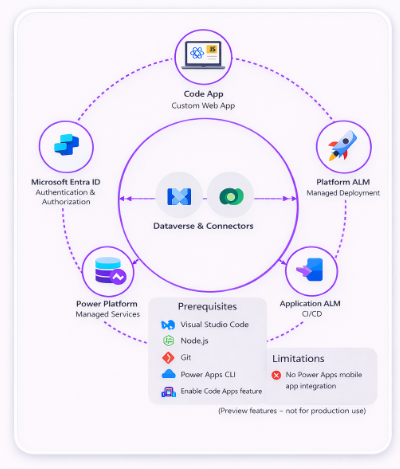
- Code-first development: Build apps with React, Vue, and JavaScript in Visual Studio Code
- Use Power Platform services in code: Access Dataverse, 1,500+ connectors callable from JavaScript
- Enterprise-grade security: Microsoft Entra authentication and authorization
- Managed hosting & deployment: Hosted within Power Platform with simple ALM
- Governance & compliance: Respect DLP, app sharing limits, tenant isolation
Prerequisites – Developer Tools
Code apps require the following tools to be installed and available via the command line:
- Visual Studio Code
- Node.js (LTS version)
- Git
- Power Apps CLI
Enable Code Apps on a Power Platform Environment
Steps for administrators:
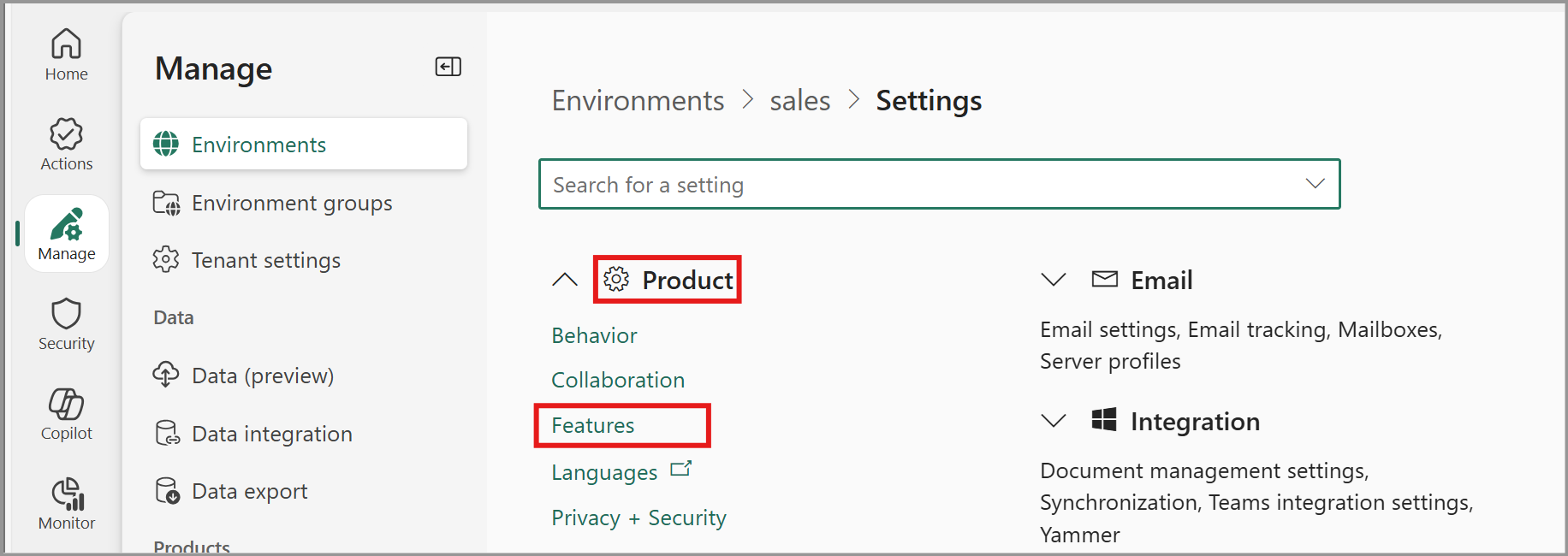
- As an admin, go to Power Platform admin center
- Navigate to Manage > Environments and select an environment
- Open Settings and expand the Product subsection Select Features
- Navigate to the feature Power Apps code apps and use the Enable code apps toggle for enablement.
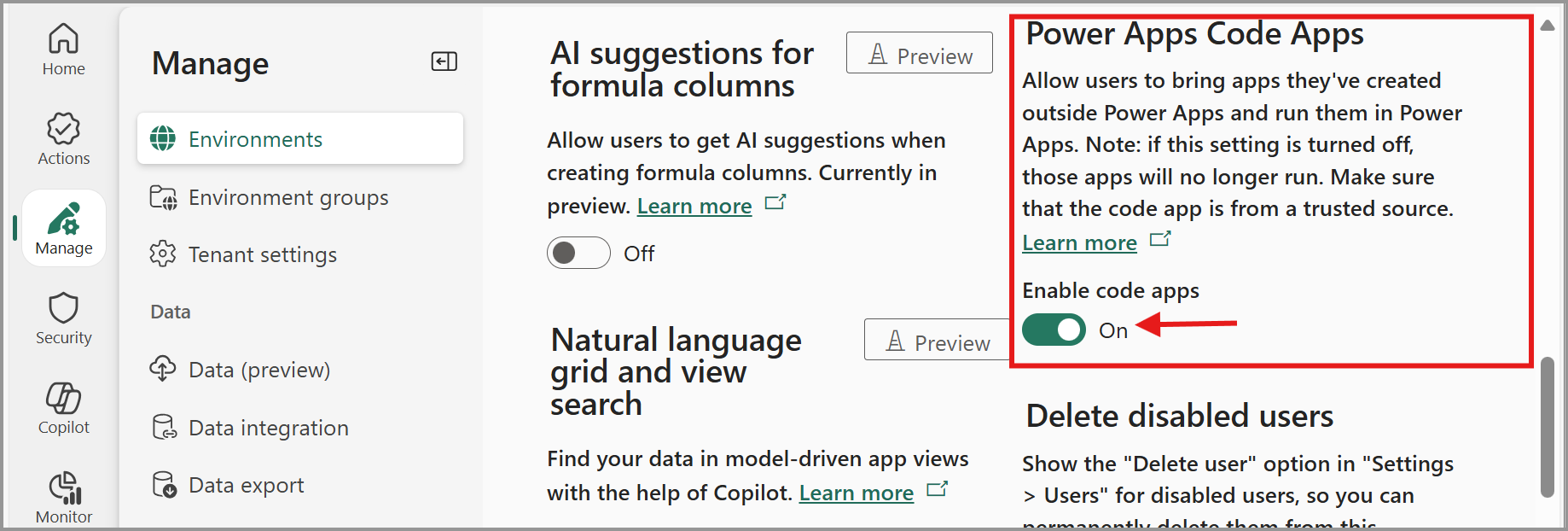
- Select Save in the settings experience.
Licensing Requirement
- All end-users accessing or running Power Apps Code Apps must be assigned a Power Apps Premium license
- Licensing applies to both application usage and execution scenarios.
Developer Resources
- Microsoft maintains a dedicated Power Apps Code Apps GitHub repository
- The repository provides:
- Ready-to-use sample applications
- Starter templates for faster onboarding
- Reference implementations following recommended best practices
Issue Management & Community Feedback
- Developers can report bugs or request assistance through GitHub Issues.
- Structured templates ensure clear problem definition and faster resolution.
- Existing issues can be upvoted or commented on to highlight priority.
- Reviewing resolved issues helps teams learn from real-world use cases and implemented fixes.
Platform Limitations
- Code apps are not supported on:
- Power Apps Mobile application
- Power Apps for Windows and SharePoint Forms
- Native integration is currently unavailable for:
- Content Security Policy (CSP) and Storage Shared Access Signature (SAS) IP restrictions
- Platform-level Azure Application Insights telemetry
- Power BI direct data integration is not supported; however, apps can be embedded using Power Apps Visual
Supported Power Platform Management Capabilities
- Connector permission consent dialogs
- App sharing limits and application quarantine
- Data Loss Prevention (DLP) policy enforcement, and Conditional Access configuration per application
- Admin consent dialog suppression, Tenant isolation for data security
- Azure B2B external user access support, and Operational health and monitoring metrics